



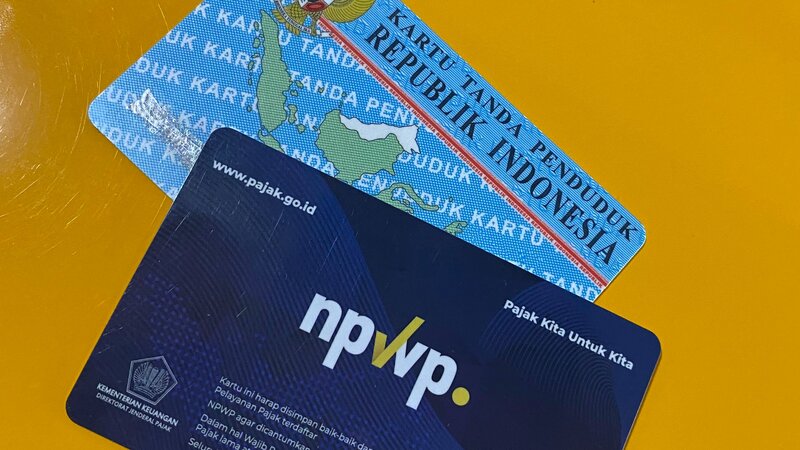
The Directorate General of Taxes (DJP) of the Finance Ministry has stated that the old taxpayer identification number (NPWP) format can still be used until 31 December 2023.
However, taxpayers must immediately validate their NIK to become their NPWP if they want to pay taxes easily from 1st January 2024.
This was conveyed by the Director of Counselling, Service, and Public Relations of DGT Neilmaldrin Noor, in a DGT discussion with the Director of P2P DGT on Friday 16th December 2022. According to Noor, taxpayers don’t need to worry if they have not validated their NIKs as NPWP on 1st January 2024.
“Yes, it’s okay, it’s just a matter of validating the connection or activating the NIK. Because the NIK is a database. If the NPWP doesn’t work, we can’t enter, we use the NIK,” he said.
He stressed that the activation isn’t complicated; taxpayers aren’t required to register anymore as part of the government’s efforts to integrate the NPWP with NIK.
“As of 15th November 2022 at 2:55pm WIB, there are already 52.9 million NIKs that have been integrated with NPWPs. It is around 77.2 percent of the 68.52 million,” he said in a casual DGT public relations chat with the media in Jakarta on Friday.
However, if by 1st January 2024, there are taxpayers who have not integrated their NIK and NPWP, then tax payments cannot be made.
Below is how taxpayers can validate their NIK through the online DGT system:
- Enter the DJP Online page at https://djponline.pajak.go.id/account/login.
- Log in to the DJP Online page by entering your NPWP along with the password and the provided security code through Captcha.
- After successfully logging in, enter the main menu “Profile“.
- The Profile page will show the validity status of the main data you have, whether it will “Need to be Updated” or “Needs Confirmation”. This status indicates that you need to validate the NIK.
- In the “Profile” menu page, there will be a “Main Data” section and you will find the column NIK/NPWP (16 digits). In that column, you must enter your 16-digit NIK.
- When finished, click “Validate”.
- The system will try to validate the data with those recorded at the Directorate General of Population and Civil Registration (Dukcapil). If the data is valid, the system will display an information notice that the data has been found. Then, click “Ok” on the notification.
- Press the “Change Profile” button.
- Finally, you can also complete the family member data sections. Once completed and validated, then taxpayers can use their NIKs to login into DJP Online.